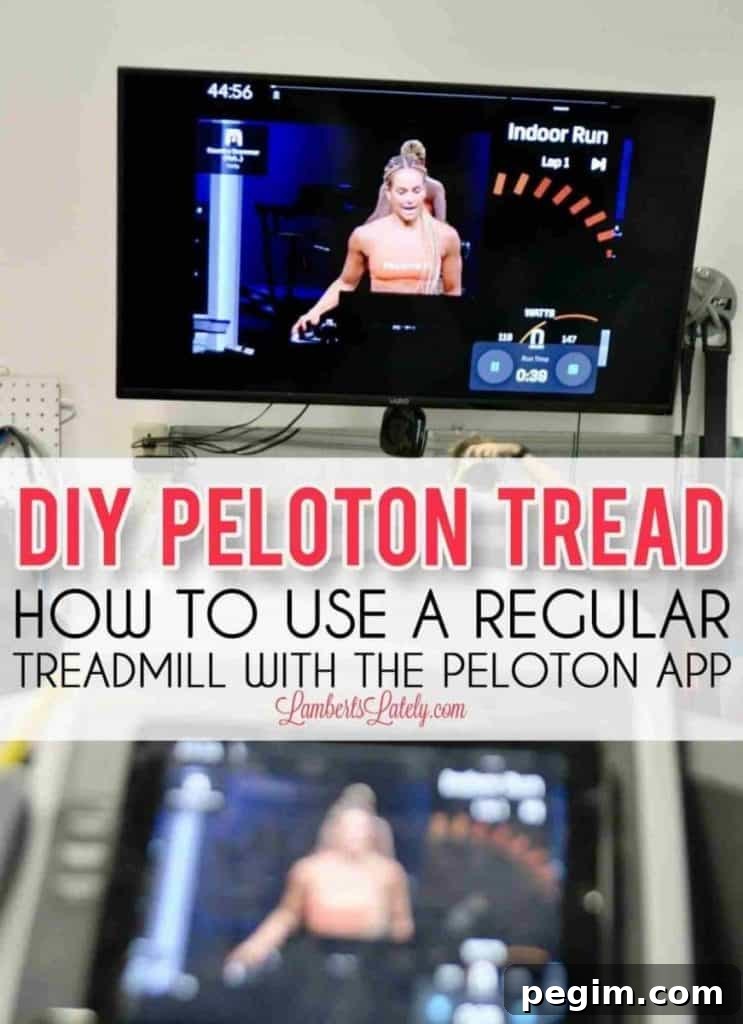
Turn any treadmill into a DIY Peloton Tread using the Peloton app and a Stryd pod. Get reliable running metrics, save money, and enjoy studio-style runs at home.
Paid links used in this post. Read more about my link usage policies.
I’ve always enjoyed exercise for more than just burning calories — it gives mental clarity, motivation, and strength. When I discovered the Peloton app a few years ago, it fit perfectly into my routine and quickly became my favorite way to work out.
Running used to be something I disliked, but by allowing myself to run at my own pace I gradually learned to enjoy it.
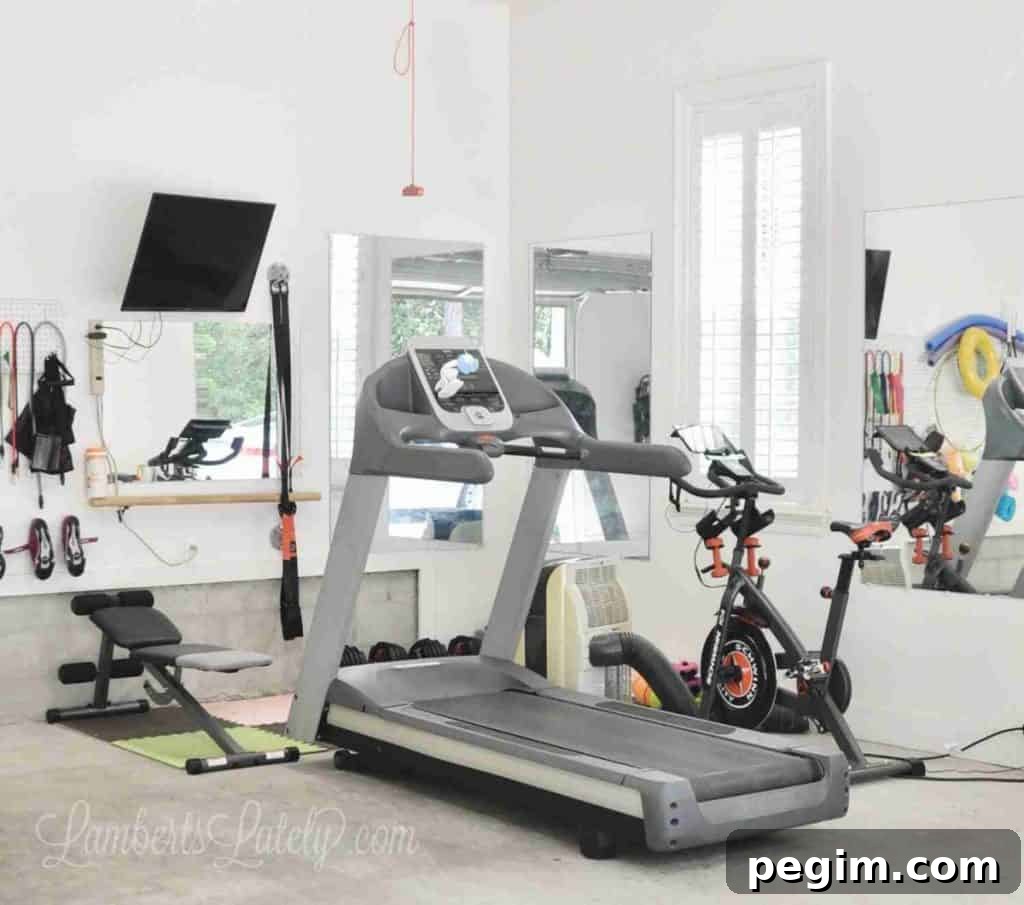
About a year ago, after I started running more consistently, I decided to convert an old treadmill (a Precor C956i I bought from a gym going-out-of-business sale) into my own DIY Peloton Tread.
I already knew the Peloton app could power a DIY Peloton Bike, and I had experience converting bike resistance for Peloton-style use. Converting a treadmill proved trickier, but it’s absolutely doable.
There isn’t a treadmill on the market that directly transmits Peloton’s treadmill metrics to the Peloton app, but with a little creativity you can replicate most of the Tread experience.
The Key to my DIY Tread: A Stryd Pod
There are several running sensors that provide detailed metrics, and I tested options to find one that matched the Peloton Tread experience as closely as possible. I settled on Stryd.
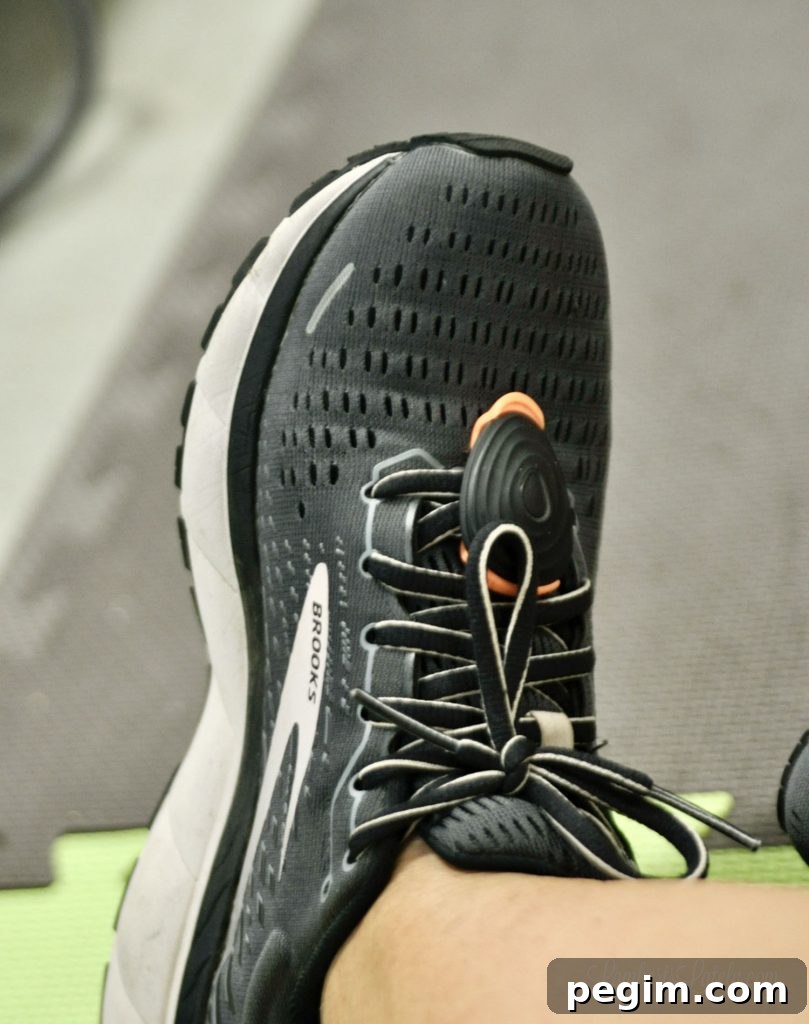
Stryd is a small pod you clip to your shoe. It reports pace, cadence, elevation, distance, and a running power metric in watts — the metric that makes the setup feel similar to a Peloton Tread. Stryd also surfaces many advanced metrics for training and analysis.
Comparing Stryd and Peloton Metrics
Peloton and Stryd both report power in watts, but neither publishes a complete formula for how they calculate it. Peloton’s metric emphasizes pace and incline, while Stryd factors in additional data such as weight and environmental effects for outdoor runs. Despite differences, the two systems provide comparable outputs and both let you calculate total energy output.
To calculate kilojoules with Stryd the same way Peloton displays total output, multiply your average watts by the number of seconds you ran, then divide by 1000. For example: 100 watts x 1800 seconds (30 minutes) ÷ 1000 = 180 kJ.
Here’s how the two platforms compare for common metrics:
- ✅ Pace/Speed: both report this
- ✅ Elevation/Incline: both report this (note: indoors you must manually enter treadmill incline in the Stryd app)
- ✅ Real-time watts: both report this
- ✅❌ Total run output (kJ): Peloton displays it directly; with Stryd you can calculate it from average watts and time
- ✅ Elevation change: both show this (Stryd shows it in the run summary)
- ✅ Total distance: both show it in real time
- ✅ Average output / average pace: both available in run summaries
- ❌✅ Cadence, LSS, form power ratio, air power, stride length, vertical oscillation, ground contact time: these advanced metrics are available only on Stryd
Stryd delivers more granular running data for training, and it costs around $200 — making it an affordable way to get most Peloton Tread-like metrics using your existing treadmill.
You can set up a DIY Peloton Tread in two main ways: using both an iPad and an iPhone, or using just an iPad. Each approach has pros and cons; I’ll explain both and why I prefer one over the other.
Supplies Needed for Your DIY Tread Setup
- A Bluetooth-capable tablet — I recommend an iPad for simplicity with Apple features. Install both the Peloton and Stryd apps.
- Peloton app subscription — required for classes; significantly cheaper than a full Peloton Tread subscription.
- Treadmill — any model works; I used a Precor C956i.
- Heart-rate monitor — Apple Watch works well; other Bluetooth chest straps or bands also work.
- Stryd pod — the shoe-mounted sensor that provides power and other metrics.
- Smartphone with the Stryd app installed (if using the two-device setup).
- Bluetooth earbuds (AirPods or similar) for audio while screen mirroring.
- TV with screen mirroring (optional) for a larger display when streaming the Peloton app.
Related: Treat yourself with this DIY guide on dip powder nails!
Setup Option 1: DIY Peloton Tread with iPad and iPhone
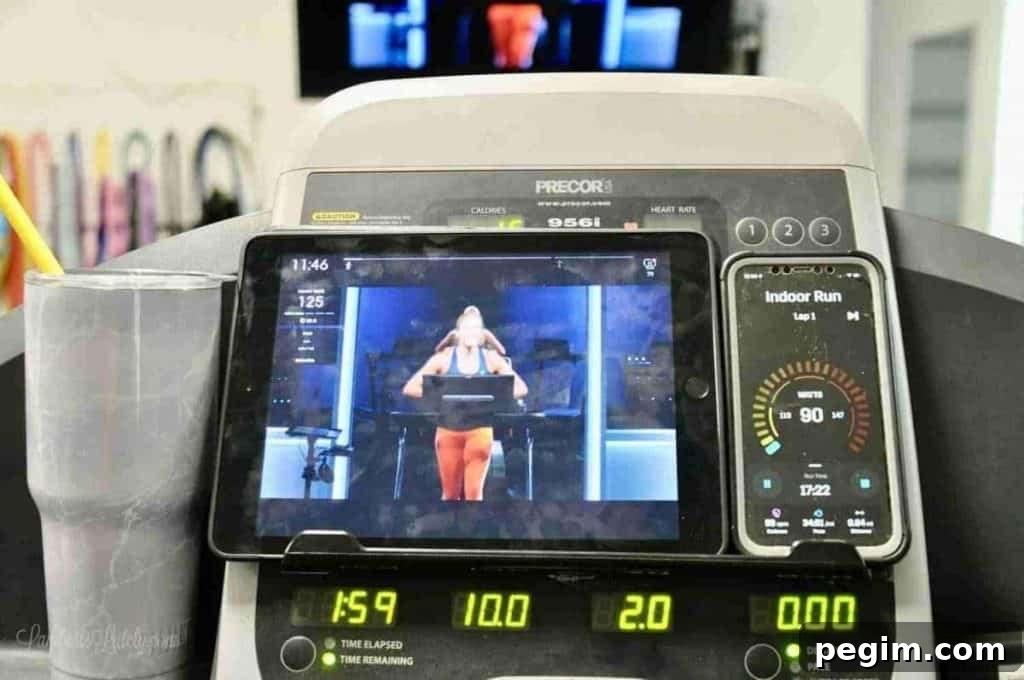
This two-device setup uses an iPad for the Peloton workout and an iPhone to show Stryd metrics. The iPad handles the class video and heart rate, while the iPhone displays power, pace, cadence, and distance in real time. I prefer this setup because the Stryd layout on iPhone shows more usable information at once.
Before you start: make sure your Apple Watch is connected to the Peloton account via your phone, AirPods are paired with the iPad if you plan to route audio to earbuds, your iPad is configured for screen mirroring if you’ll use a TV, and your Stryd pod is connected to your iPhone.
On the Stryd iPhone app: open Calendar, tap the plus button, and select “Start Run.” Choose “Indoor Run” so GPS won’t be used and you can manually enter treadmill incline. Press play to begin tracking.
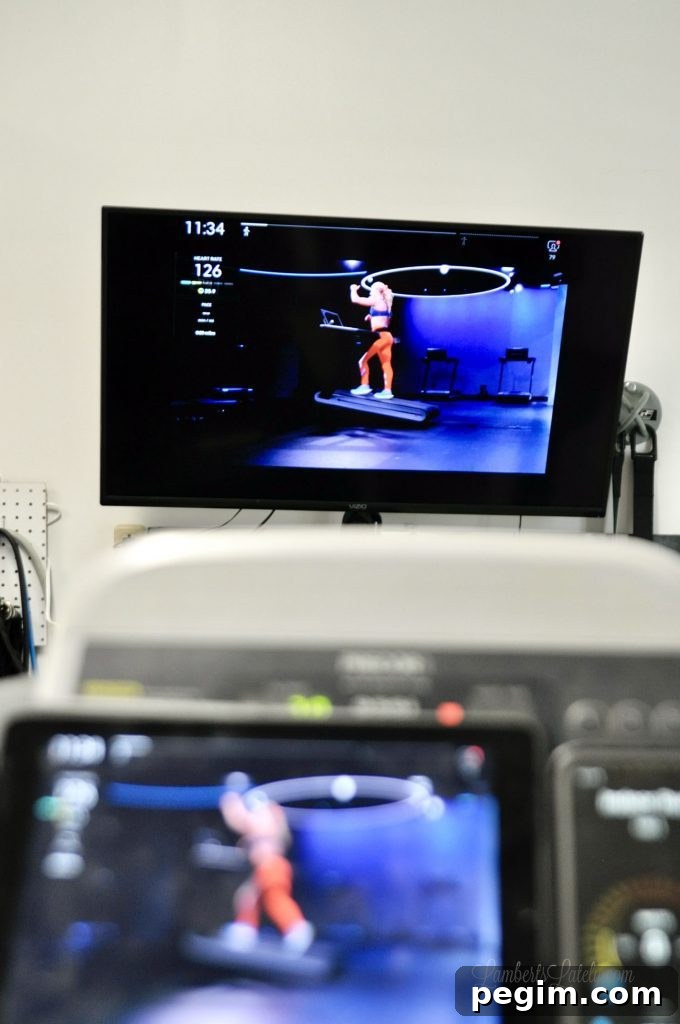
On the iPad open the Peloton app and start your treadmill class. If mirroring to a TV, disconnect AirPods from the iPad, enable screen mirroring, then start the class. Reconnect AirPods through the Peloton audio menu if you want private audio while the video plays on the TV.
If the Apple Watch doesn’t automatically appear in Peloton, tap the heart-rate icon and select “Connect to Apple Watch.” When everything is connected — iPad running Peloton for the workout, iPhone running Stryd for metrics, watch streaming heart rate — you’re ready to run.
During the run you’ll view the class on the TV or iPad while keeping an eye on Stryd metrics on the iPhone. When the class requires incline changes, enter the new percent in the Stryd app so power calculations remain accurate indoors.
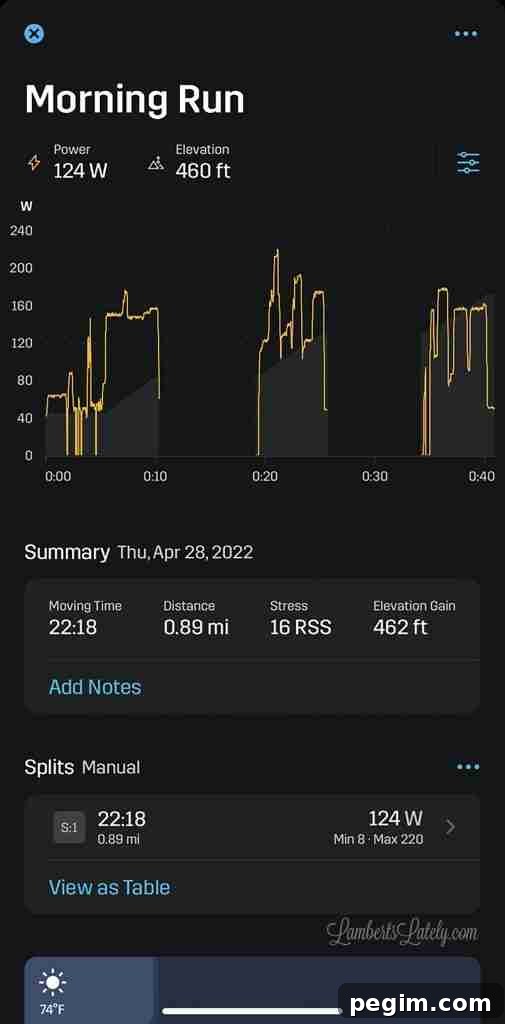
When the run ends, stop the Stryd session and view a detailed summary in the app. Stryd uploads automatically to Apple Health and optional platforms like Strava.
Setup Option 2: DIY Peloton Tread with Just an iPad
This option runs Peloton and Stryd side-by-side on the same iPad using split-view. It’s convenient because all your apps are on a single device and can be mirrored to a TV, but the Stryd iPad interface doesn’t display as many metrics at once compared with the iPhone app.
Before starting: ensure your Apple Watch is connected to Peloton via your phone, AirPods are paired to the iPad (or disconnected if you’re mirroring to TV), and the Stryd pod is paired with the iPad.
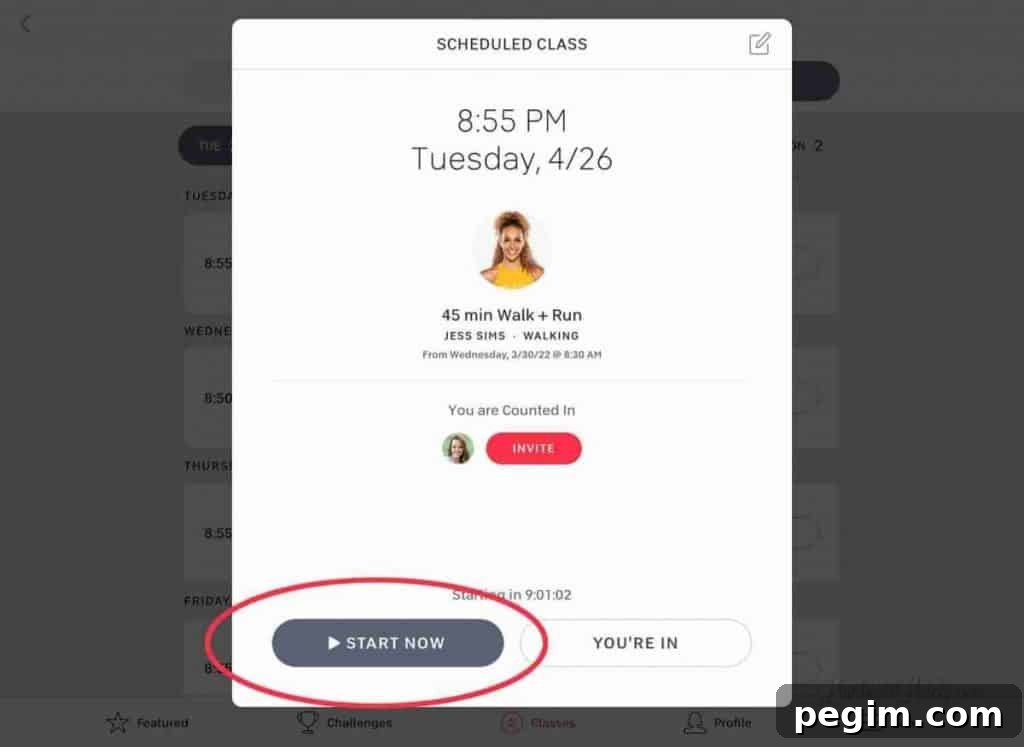
Open Peloton on the iPad and start the class. If your watch is set up to connect with Peloton, it should display heart rate automatically. Drag up from the bottom to open the iPad dock, pull the Stryd app into split-view on the right side of the screen, then start an indoor run in Stryd. Confirm the Stryd pod connection and press play to begin tracking.
The Stryd app on iPad shows watts in real time on one screen and cadence/pace/distance on another screen you can access by dragging up. You can manually enter incline changes while running. The layout is functional, but it’s harder to view all metrics at once compared with the two-device setup, which is why I often prefer option 1.
When finished, stop the run and review analytics in Stryd. Peloton’s app provides the workout video and heart rate summary while Stryd provides the detailed running metrics.
Differences in Real vs DIY Peloton Tread
There are trade-offs between a factory Peloton Tread and a DIY setup. Consider which features matter to you before investing in a dedicated Tread.
- Leaderboard access: The Tread shows a live, fully integrated leaderboard. App-only users can see others but are not visible on the official Tread leaderboard and can’t join synced runs the same way.
- Social features: Some in-app features like searching hashtags or certain discovery tools are limited for app-only users.
- Workout search: The full Tread experience allows more detailed search filters; app users have more limited search capabilities.
- Metrics integration: The Tread centralizes metrics into the Peloton ecosystem. DIY users will rely on Peloton for heart rate and Stryd for power and advanced running data.
Buying a Peloton Tread locks you into hardware and a higher monthly subscription, while a DIY approach lets you use equipment you already own, choose the treadmill you want, and combine affordable subscriptions with a Stryd pod for detailed metrics.
For me, the flexibility and lower cost of a DIY Peloton Tread make it the right choice. If you value built-in social features and a fully integrated display, a dedicated Peloton Tread could still be worth it for you.
Creating a garage home gym and adapting gear during the pandemic became one of the best decisions for our family. Converting our treadmill to a DIY Peloton Tread gave us studio-style running workouts, meaningful metrics, and a fraction of the cost of a full Peloton Tread setup — and I’m glad I made the switch.